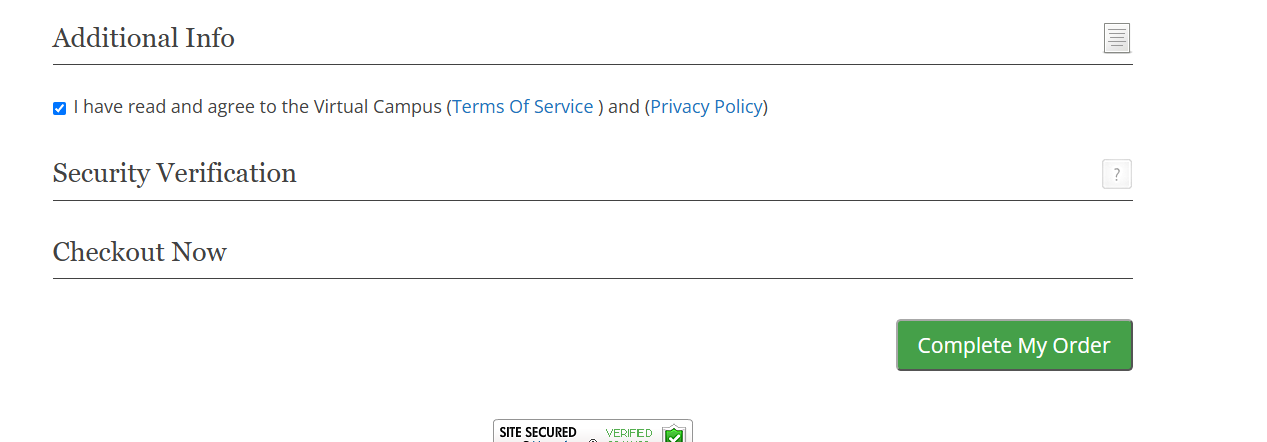
Recaptcha working but I don't want it to

In the stripe shortcode I set captcha=“0” but it still shows. In fact it brings up the find something in the boxes to prove human which is a sales killer. How do I actually REMOVE recaptcha?


d=s2member-pro-stripe-checkout-form-captcha-section class=“s2member-pro-stripe-form-section s2member-pro-stripe-checkout-form-section s2member-pro-stripe-form-captcha-section s2member-pro-stripe-checkout-form-captcha-section”>
Security Verification
<div
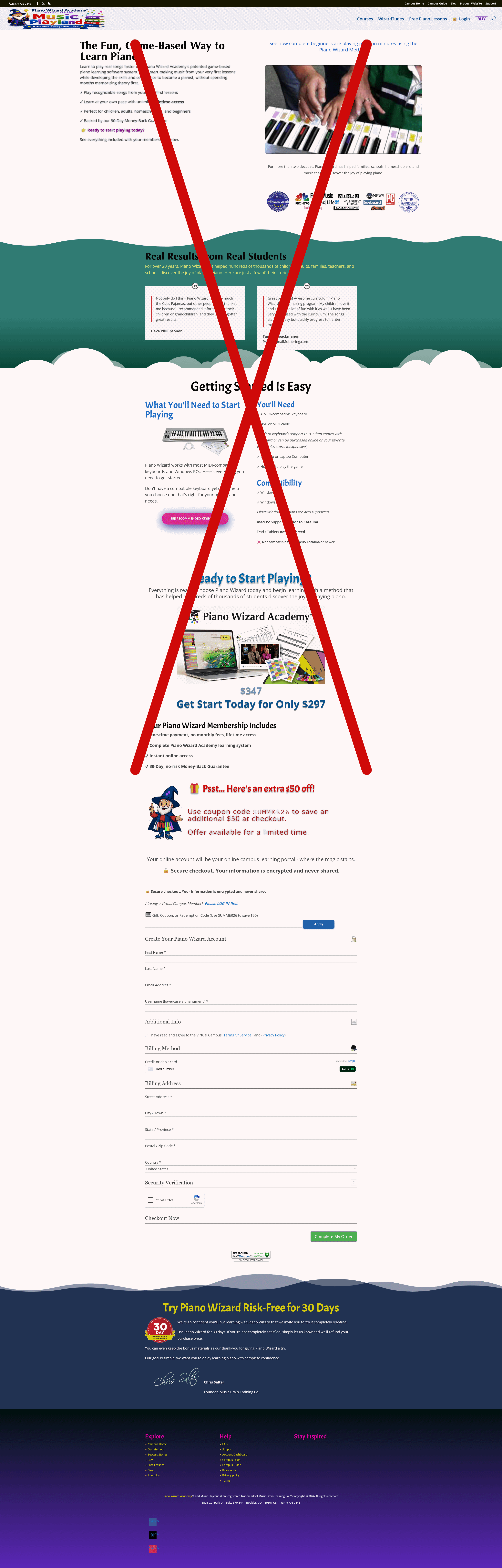

People are going to bounce off your buy page as they don’t see the signup form and instead somehow they’ll have to know they need to scroll to the bottom to proceed…

If I were you I’d put the form RIGHT in front of them.

1 Like

I’d check to make sure any cache’s are turned off during development.

Thanks. The pages are being redesigned. Our problem is there are important things that people need to know first so I just can’t show the form (keyboards, compatibility, etc). I’m trying to shorten it.

As for captcha, i disabled all plugins and even put a function in my theme in case that was it. It won’t go away. If I remove the keys from s2member settings, security verrificatio shows and if you try to submit - missing or invalid security verrification.

I’m 99% sure its’ s2member. Also I think it’s time for 2member to upgrade to v3 over out outdated v2.

So speaking about sales killers, the puzzle popup is a killer and I cannot remove it

CAlling @clavaque

Hi Vincent.

Sorry for the delay. You were right, this was an s2Member issue.

I noticed your shortcode has smart/curly quotes: captcha=“0”. s2Member already normalizes several quote variations that editors can insert, but it wasn’t catching the literal smart-quote characters. Because of that, the value wasn’t being interpreted as 0 and the captcha option remained enabled.

I fixed this in v260829. captcha=“0” should now be interpreted correctly. Straight quotes (captcha="0") are still the safest way to write shortcode attributes, but s2Member now handles the smart-quoted version too.

The reCAPTCHA v2/v3 integration is a separate issue and wasn’t changed in this release.

Thanks for reporting it!

:slight_smile:

1 Like

Yes, it is working. Thanks!

1 Like

Great! :smiley: