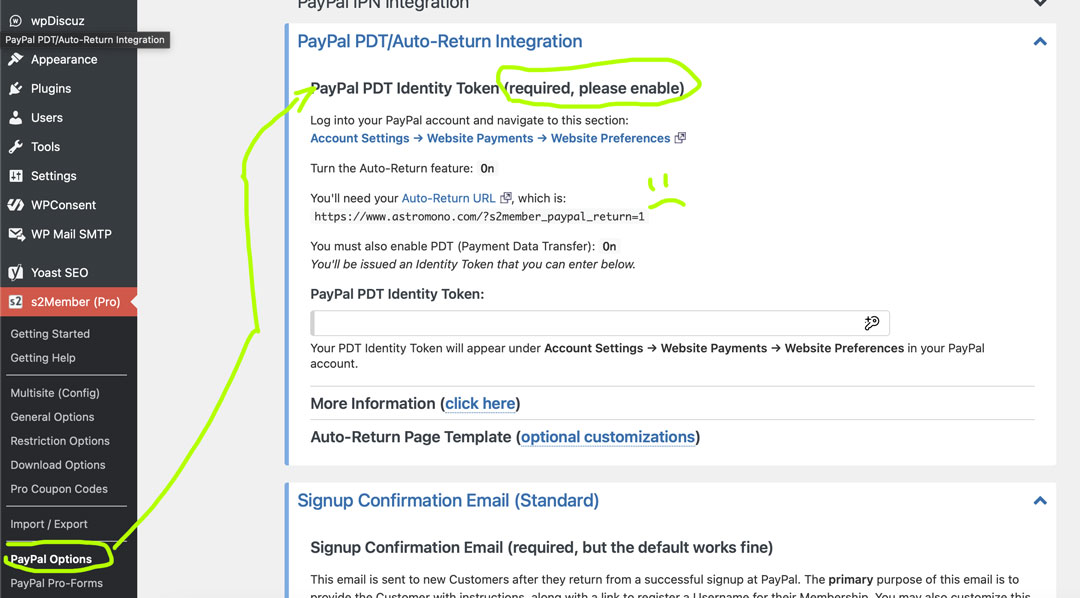
PayPal PDT Deprecation affecting new s2Member Pro users

Hello,

First post here, I searched in the forums but couldn’t find a post about this.

I recently opened a new PayPal Business account to configure my s2Member Pro gateway, but over the last 2 weeks I’ve been unable to activate Auto-return and Payment Data Transfer (PDT) inside PayPal.

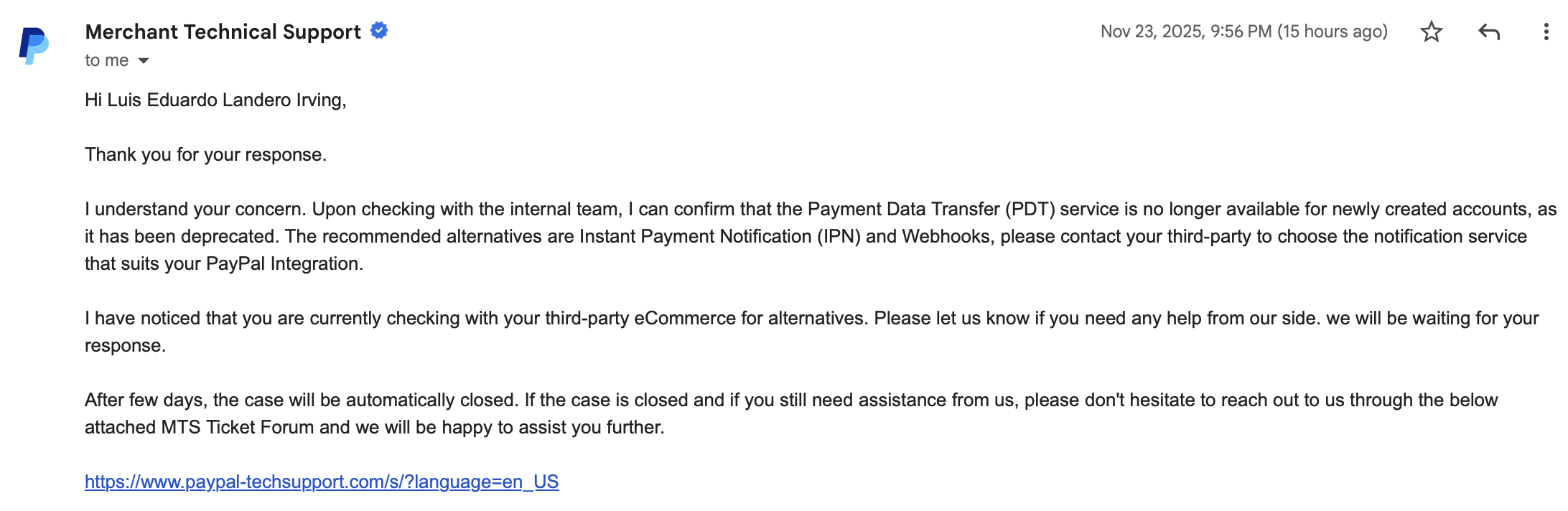
PayPal’s support tells me that PDT is on its way to deprecation and thus is not available for new accounts like mine. They say to use IPN instead, which I’ve already set up in my s2Member setup in Wordpress.

Is there any way to circumvent the need for PDT and auto-returns? Will the s2Member plugin account for this change on PayPal’s end?

Thanks,
Luis
1 Like

I wrote to s2Member’s support on the website 2 weeks ago, but I’ve yet to receive any reply from anyone! Are they on holiday leave?

Here’s the message confirmation I got from PayPal’s support when they couldn’t enable auto-returns or PDT for me.

Does anyone know a possible workaround for this?

Did you check s2member IPN settings under s2member (Pro), PayPal Options, PayPal IPN Integration?

I don’t have access to PayPal Pro forms (I think you need to have something extra, maybe that’s the thing you’re saying they don’t make available) but you might be able to use PayPal buttons generated by s2Member.

Can you try it out?

Also, remember to keep Button Encryption OFF

:slightly_smiling_face:

1 Like

Thank you for your reply! I was under the impression that PDT/Auto-returns were required in order for the PayPal buttons to work. My IPN integration is set up correctly.

The support page for PayPal support also mentions that PDT/Auto-returns are required in order for PayPal to work:

So here are my questions:

  1. If I get what you’re saying correctly, it’s possible to create a PayPal button without PDT/Auto-returns and when the user finishes subscribing via PayPal they will still be returned to my website automatically even if I don’t have an auto-return token set up?

  2. My Login Welcome pages all use Stripe at the moment. If a user wants to cancel their subscription, they can use the cancellation button which is configured for Stripe. Do I have to add a second cancellation button to these pages in case the user is subscribed via PayPal?

I’m only asking because I see that PayPal and Stripe have separate cancellation button shortcodes.

Thanks again for the assist!

Hi! While I can’t precise that, are you able to set everything up, create a page that’s not listed with a button for one cent, try it and see if it works with a card or another PayPal account (yours or from a friend/family member)?

Please let us know what happens.

:slightly_smiling_face:

It worked! I was able to set up the PayPal button and tested the gateway all the way to the end, although there was no auto-return to website. Rather, I got my registration Thank You page.

With that being said, I’m still confused on whether I should have two separate cancellation buttons in the Login Welcome pages for each level (one for Stripe and one for PayPal).

Thank you for the assistance and patience!

2 Likes

Yes you will need to separate ones. One forwards to PayPal, the stripe cancels directly on your page

2 Likes

Thank you, I’ve since updated my Login Welcome pages and now I’m working on updating the look of the buttons using the shortcode attributes. I feel like the default button image is outdated compared to PayPal’s current branding.

Thanks again for the assistance, I’m so excited to finally get this ball rolling!

2 Likes