Optional One-Time-Offers (Upon Login) ISSUE

I m having an issue with the Optional One-Time-Offers (Upon Login)

I want the page to be triggered the 1st time a user become a level 1 member

so i did:

1:1:http://example.com/blbolblob/ (displayed on 1st login as a level1 member)

unfortunately this doesnt work, as most of the users who become level1 were level0 for a while, meaning they logged in many time.

so if level0 users logged 50 times then pay to become level 1
the 1st time he logs as a level 1 he is 50:1 so my trigger 1:1 doesnt work as he has been logged more than once

Is there a way to fix this issue?

I ve been told that i should try to forcethe counter to zero in a hook of my own.

<?php update_user_option($user_id, 's2member_login_counter', 0); thx a lot for your help
1 Like

Here you go: https://s2member.com/kb-article/how-can-i-reset-the-user-login-count-when-a-user-is-upgraded/

Thank you very much Tim

To do this, create an MU-Plugin with the following code, which will trigger whenever a user’s role is changed (e.g., when they are upgraded from one Level to another).

Create the following directory and file: wp-content/mu-plugins/s2-reset-login-counter.php

<?php add_action('set_user_role', function($user_id, $new_role, $old_role) { if(strpos($new_role, 's2member_') === 0 || $new_role === 'subscriber') update_user_option($user_id, 's2member_login_counter', 0); }, 10, 3); I m a coding newbie, would you know where i could find instructions how to do that (a vid maybe) thx a lot

Create a plain text file (e.g. with Notepad – don’t use a word processor) and paste in that code and save. Call it s2-hacks.php

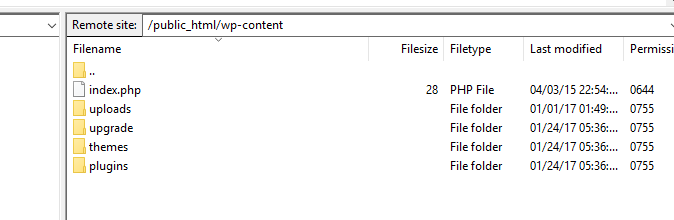
Now go to your /wp-content folder (e.g. using FileZilla or your File Manager in cPanel). If a folder called mu-plugins exists there, upload your new file into it. If the folder doesn’t exist, create it and then upload your file.

1 Like

i do not have folder called mu-plugins :frowning:

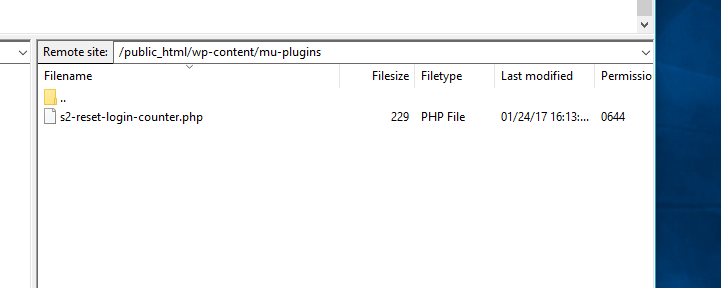
ok done

hopefully

looking good?

Thank a lot for your help, you are a star

working perfectly thx SO MUCH

Great! Thanks for letting me know!