Malfunctioning Shortcodes [s2If /] and [s2Drip /], & Pro-Forms

Hi. I’ve recently started using s2Member and have so far been unable to get shortcodes to work at all. I have confirmed that everything is set up correctly with the Framework and Pro plugins, but still encounter the following issues:

This is the way I’ve formatted the shortcodes in the editor -
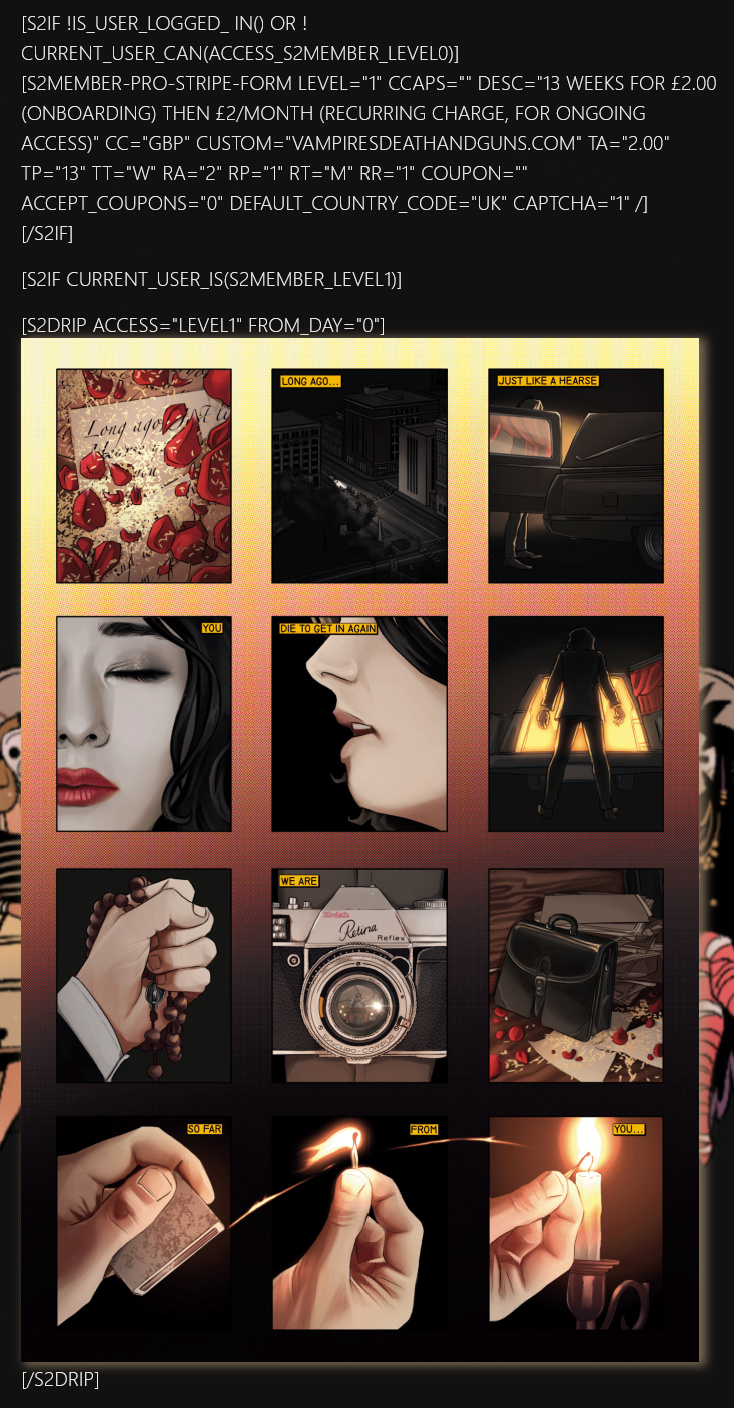

(I also thought at one point that I had to nest the [s2Drip /] within the [s2If /], formatting like that also doesn’t work and I presume is just unnecessary too.)

As I can only upload one image I will do my best to describe the outcome:

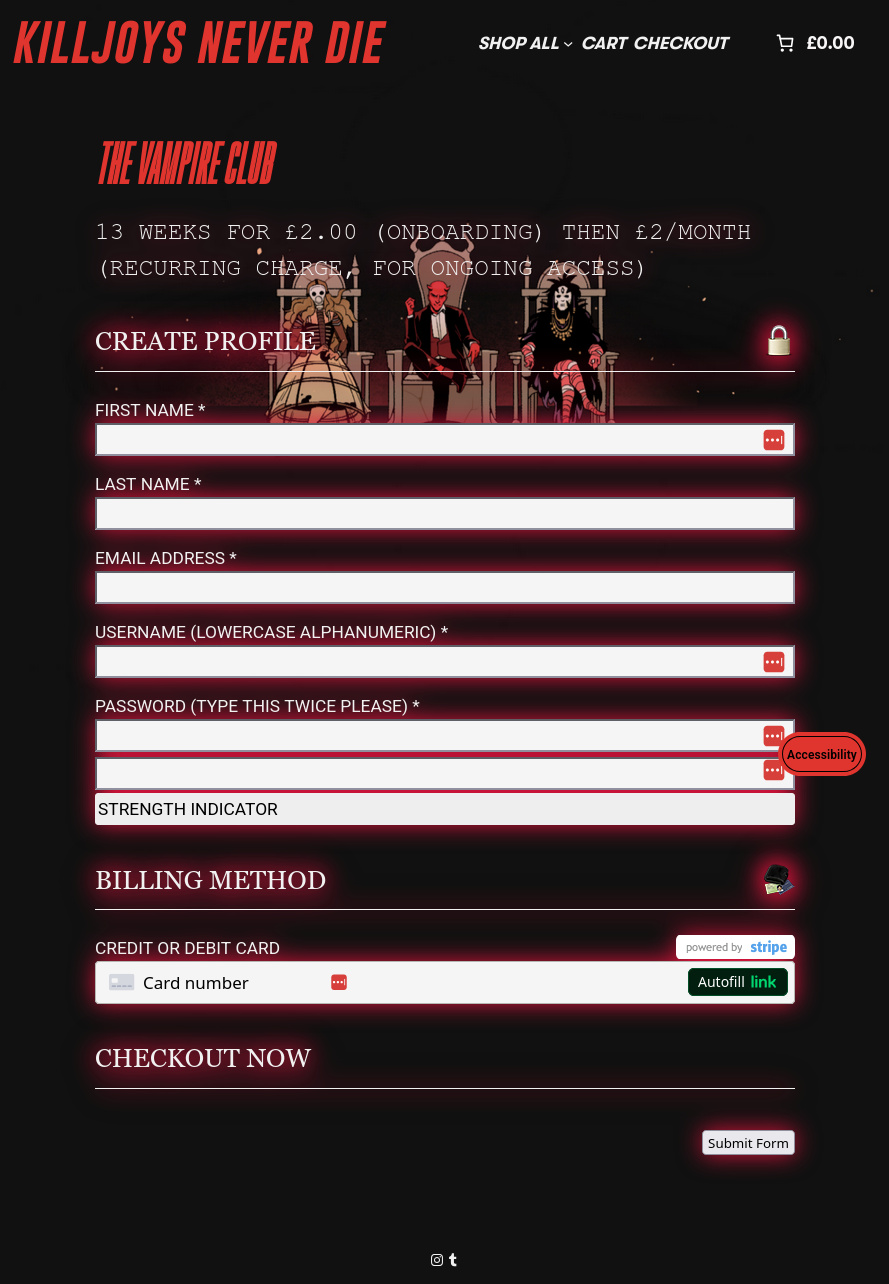
First, there is the issue that I can still see the content and shortcode written out, it renders almost identically to in the editor. HOWEVER, this excludes the very first [s2If /] statement. This first section is not visible at all - the Stripe Pro-Form doesn’t appear despite the fact I’m not logged in on this Incognito window, nor is the shortcode itself visible, suggetsing the [s2If /] containment is working. There is no difference when viewing these pages as an admin out of the editor either.

Am I making a simple mistake or misunderstanding how the codes work? I have one page with all these shortcodes showing the images in sequence over time, would having too many shortcodes on one page cause them to break?

Any help at all would be appreaciated.

Thank you!
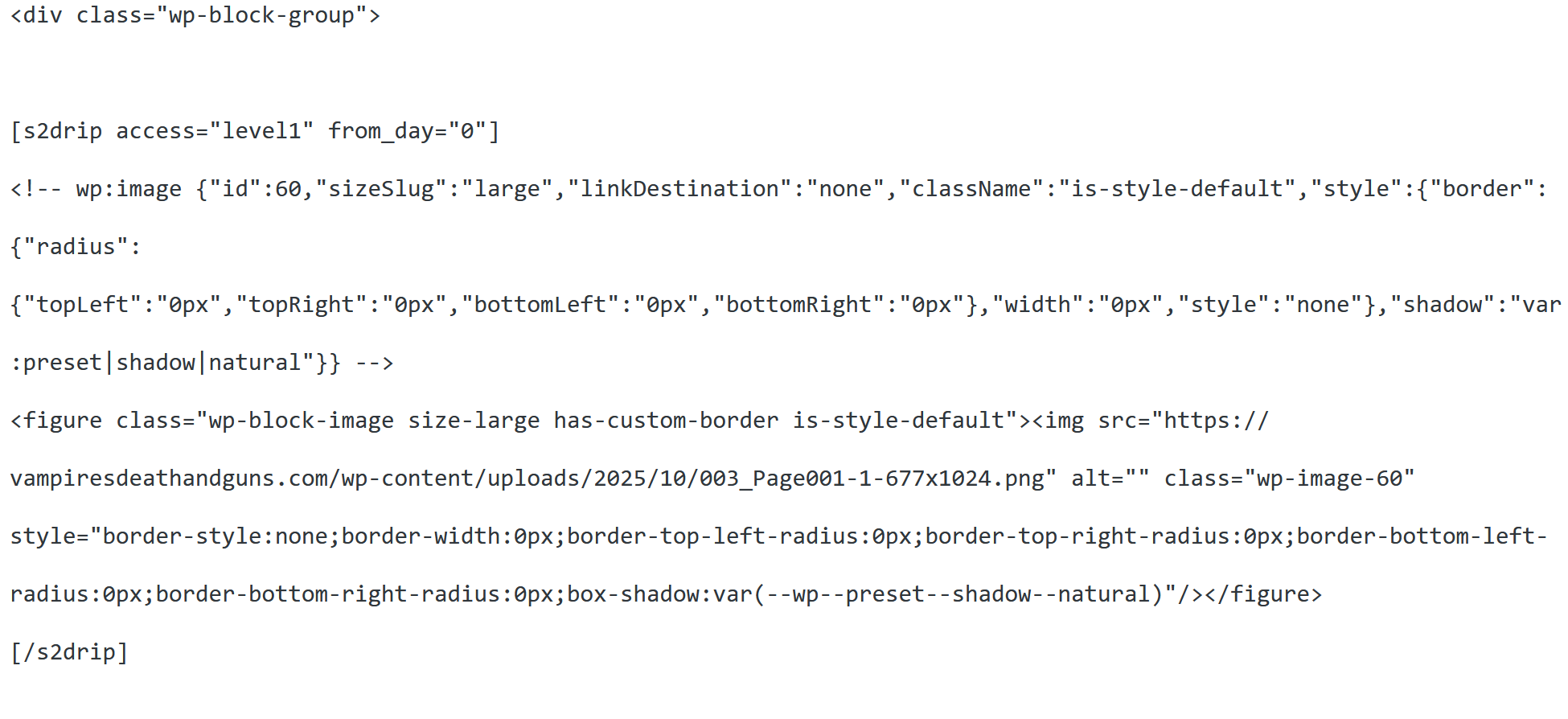
From the image you upoaded I’m guessing you are not putting the [S2if] shortcode into the page’s code view but rather the visual editor.

I make the code view the default and disable the gutenberg block editor.

Thanks for your quick reply. I’ve tried disabling gutenberg and doubling checking in the code editor but it doesn’t seem to have made any changes at all. The [s2Drip /] is still showing as text even though I’ve confirmed it’s outside of

markers which doesn’t make sense to me as a newbie.

I’m not sure if you’ve used [s2Drip /] before but do you know if it works identically to [s2If /] in the code editor? If so, what could I be doing wrong?

Thanks again :slight_smile:

TBH I’ve never tried s2drip but in situations like this, where there is a suspected issue of shortcode compatibility, I’d add shortcodes one at a time to make sure they work together.

Some shortcodes just may not work together, for whatever reason.

Being a Web Developer is often a joyless process of trial and error.

1 Like

Yeah, it should, it’s like any other wordpress shortcode. Just make sure you use it in an editor/block that parses shortcodes.

I see you seem to have figured it out, though: https://vampiresdeathandguns.com/the-vampire-club/

By the way, you can style that pro-form a bit so it matches the site more. E.g.

.s2member-pro-stripe-form-section,
.s2member-pro-stripe-form-section-title {
  filter: drop-shadow(0 0 0.75rem crimson);
}
#s2member-pro-stripe-checkout-form input,
#s2member-pro-stripe-form-card-element {
  background-color: whitesmoke;
}

:slight_smile: