
Deleting Custom Registration/Profile Fields

I S2member (Pro) - General Options - Registration/Profile Fields & Options I can define Custom Registration/Profile Fields.

Defining two fields, I can no longer delete the Custom Registration/Profile Fields.
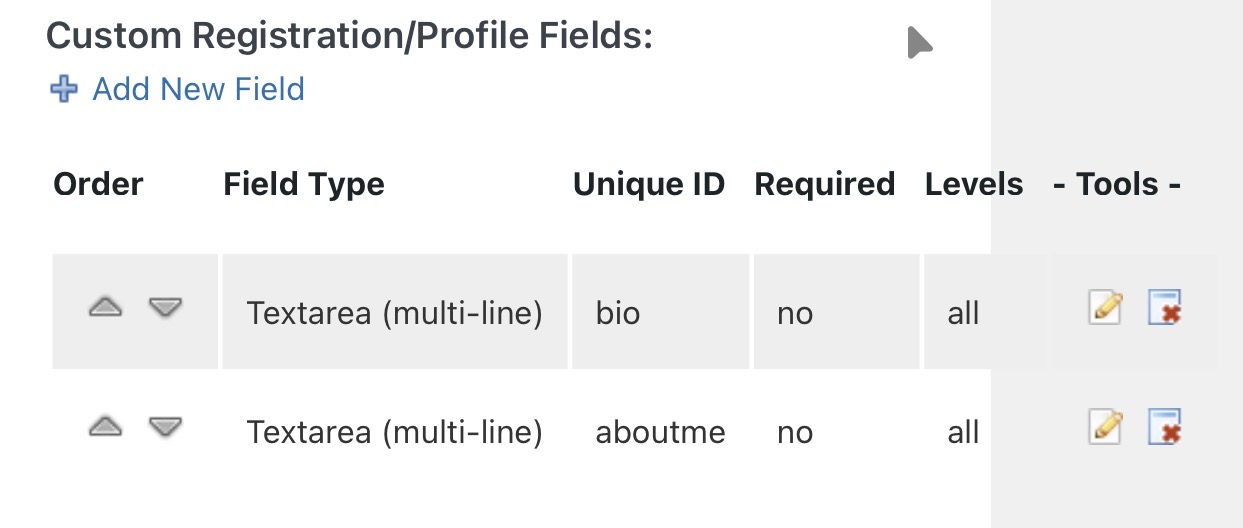
It seems that the links in the column Tools are not working.
What can I do?

regards,
Franzl

I’d try editing and saving those fields then hard reload the options page with an Alt-F5.

Sometimes people forget that the fields aren’t saved until the whole page is saved, who’s save button is at the bottom of the page.

Experiment.

I have saved the changes. Working with macOS and safari.

Loading the page on a windows pc brings no solution for me. The links to the Tools are not working.

franzl

Sorry I’ve never had that problem so I’d simply advise making sure yr s2member & pro is upto date and try different browsers, plus experiment with disabling browser plugins.

I solved the problem.

In phpMyadmin I was looking in the table ‘wp_options’ for
‘ws_plugin__s2member_options’.
Clearing the complete content ‘a:xxx:…’ resets s2member completely.
Setting up the few entities in s2member (Pro) – General Options was shorter than all the hassles with incorrect custom fields.

2 Likes

ah ok, you need to make sure you change the wp-config.php $table_prefix variable properly, so all references to it in the DB are changed. Maybe you didn’t do it properly in the past, I know I’ve gotten that wrong previously.

It’s a good security measure to implement.

1 Like