Conditional shortcode clarification

Hi, I’m trying to use the following conditional, but my syntax isn’t working:

[s2If has_tag(gratis|{gratis})]

Free

[else]

Paid

[/s2If]

I’m basically using the shortcode as it appears in: https://s2member.com/kb-article/s2if-simple-shortcode-conditionals/

What am I doing wrong in this case?

Thanks,
Luis

Nevermind, the right code is [s2If has_tag(gratis)] :smiley:

Is there a way to add a class or id to the output in the shortcode? That way I can style the output with CSS.

Thanks!
Luis

1 Like

Nevermind! I just tested it until the resulting code worked in outputting the first conditional, but the “else” part doesn’t work for some reason…

[s2If has_tag(gratis)]

<p class="freelabel">Free</p>

[else]

<p class="paidlabel">Paid</p>

[/s2If]

The styling is working, but I don’t know why the “else” part isn’t working… :thinking:

1 Like

I don’t think there is else. You have to negate with “not” and a second block.

1 Like

Thanks, I’m trying this, but no dice:

[s2If has_tag(gratis)]
<div class="freelabel" style="margin-bottom: 5px;">Gratis</div>
[/s2If] 
[s2If !has_tag(gratis)]
<div class="paidlabel">Solo Miembros</div>
[/s2If]

Hm… I think I may have found the issue… how many s2member shortcode blocks can there be in a single page?

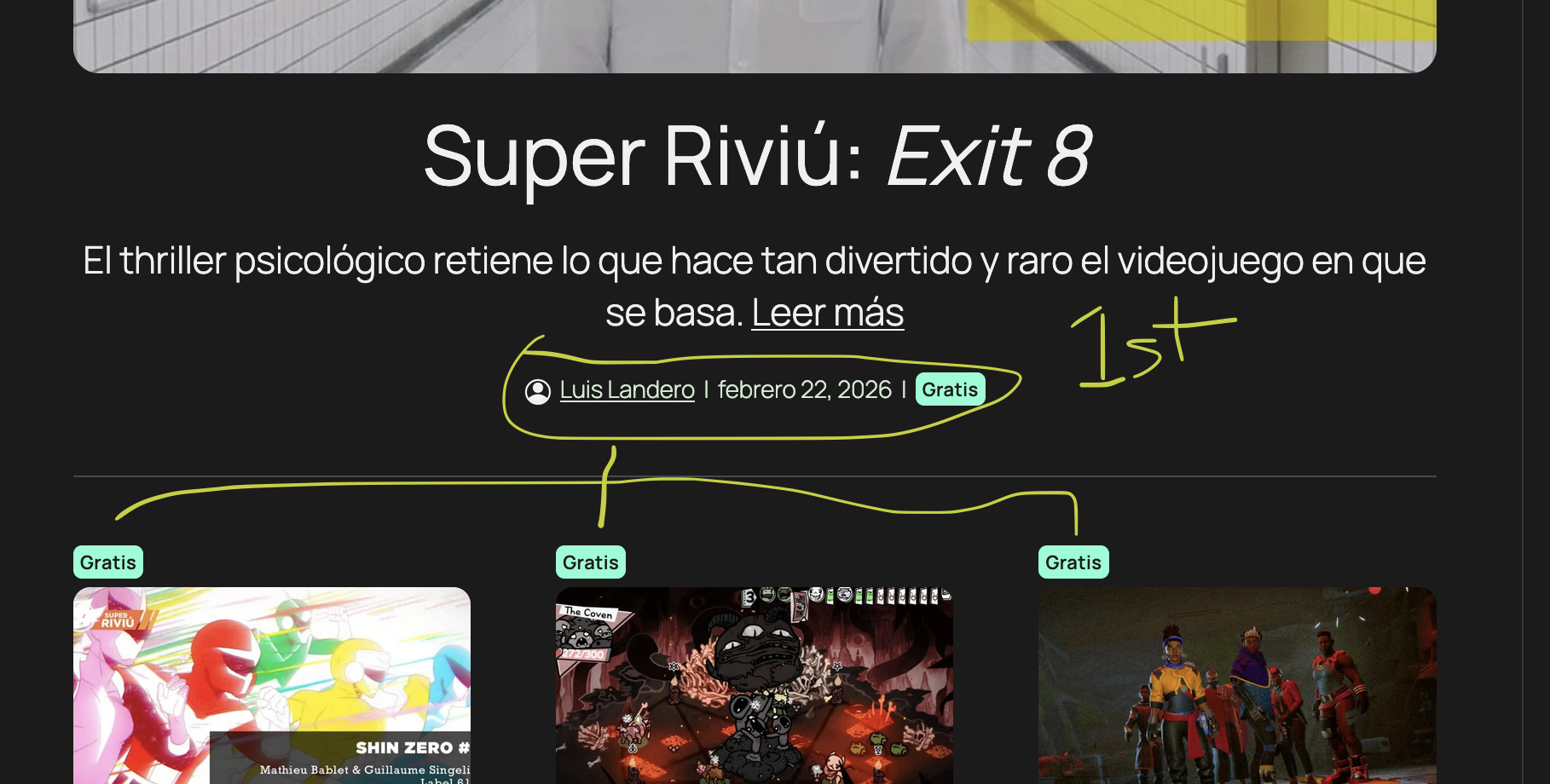
I’m using multiple instances of the same shortcode block in my front page. The front page has multiple post queries. When I apply the shortcode to the first query block, it work fine for the posts within that query, but when I add the shortcode to the queries that come after, the code doesn’t work anymore.

It’s fine to have thousands. But you need to be very careful with nested S2 shortcodes, they require for each level different notation.

1 Like

In this case it’s almost as if any instance of the shortcode that comes after the first is ignored. In fact, whatever the first instance of the shortcode does, the rest of the instances will copy.

No it just needs to be closed first or inside use _ and __ and ___
Be careful if there are other shortcodes from plugins that could vary if something is open or closed.

If you forgot one that isn’t closed any S2 shortcode of same type inside will be disregarded

I’ve never used else however but just not instead.

I’m using the following:

[s2If has_tag(gratis)]
<div class="freelabel">Gratis</div>
[else] 
[_s2If !has_tag(gratis)]
<div class="paidlabel">Solo Miembros</div>
  [/_s2If]
[/s2If]

The syntax is fine and it works correctly for the first query. The queries after that are using the same exact code, but are being ignored altogether, they just copy the result of the first shortcode.

It doesn’t matter what code I include in the second, third, etc. shortcodes. Those shortcodes are being ignored completely and the result shown is that of the first shortcode.

You’re just messing around with [else] which is not an s2member tag. So your first one is still open, and anything subsequent ignored, just as I told you. It’s a right mess you’re doing there - everything as expected.

Here’s the conditional shortcode documentation, Felix:

You can see the [else] tag is valid and the syntax I’m using comes straight from there.

My [else] conditional loop is closed in the code I shared.

but you’re reusing the tag from above with ! which was already expressed by else.
Will work:

[s2If has_tag(gratis)]

Gratis
[else]
Solo Miembros
[/s2If]

Alternatively will also work

[s2If has_tag(gratis)]

Gratis
[/s2If] [s2If !has_tag(gratis)]
Solo Miembros
[/s2If]

What you did is not logical. But with nesting you will create an mess with else, I’m not sure you can do an _else. Try to close s2 loops as quickly as possible to not end up in an utter confusion.

1 Like

I’ve tried both suggestions you mentioned earlier (when I thought the else tag wouldn’t work) and they both led to the same result as the last code I provided.

The issue isn’t the code. Every instance of the shortcode block after the first just copies the result from the first.

Thanks for trying to help. Hopefully @clavaque can take a look and provide some insight to something we’ve missed.

Is this on an empty page? Maybe something you are not considering causes the problems. It’r really easy to mess up, especially if for example you also use another plugin with shortcodes.

e.g. I use language shortcodes, s2 shortcodes and shortcodes ultimate on basically every page. With careful structuring it works well, but if for example I remove add a lanugage tag and then close it by mistake after an s2 tag - it can take down the whole site structure. Or deleting a single tag of those three can take down the whole structure as then everything will work different to intent.

I would not use [else] as maybe another plugin uses that too. I would use an [s2member_else] only. Shortcodes which could conflict with other plugins are really problematic.

E.g. I will have content translated - but then a long list of download links that I show in all languages identical. However the content of that list depends on s2member levels. And all that embedded into su tabs on top of the site to organise it. If I don’t make logical mistakes it works great - but it super easy to make a mistake as while editing (I only use classic editor) you can easily get tags wrong.

I’m not sure if maybe you are editing on live site instead of html editor or visual classic editor - each has it’s own flaws.

s2member is the only plugin I’m currently using that has shortcodes. The syntax for the tag conditional is has_tag(slug|{slug,slug}), so I’m missing something…

After debugging some more I found a few more interesting details.

The first shortcode block uses this:

[s2If has_tag(gratis)]
<div class="freelabel">Gratis</div>
[/s2If] [s2If !has_tag(gratis)]
<div class"paidlabel">Solo Miembros</div>
[/s2If]

This works fine, however for the second block I’m using this:

[s2If has_tag(gratis)]
<div class="freelabel" style="margin-bottom:5px;">Gratis</div>
[/s2If] [s2If !has_tag(gratis)]
<div class"paidlabel" style="margin-bottom:5px;">Solo Miembros</div>
[/s2If]

The second block ignores the logic (it’s copying the first block’s code), but retains the new 5px margin.

Trying to make sense of it all…

[else] is part of the s2If conditionals. https://s2member.com/kb-article/s2if-simple-shortcode-conditionals/#toc-0c08ab81

[s2If has_tag(gratis|{gratis})]

The article shows has_tag(slug|{slug,slug}) because you can optionally check many slugs, like has_tag(reg|blue), the pipe | is an OR.

The styling is working, but I don’t know why the “else” part isn’t working…

Yeah, that’s odd… Did you test the else with other condition? is the “else” not working for you with any condition?

Another option is:

[s2If has_tag(gratis)]
<p class="freelabel">Free</p>
[/s2If]
[s2If !has_tag(gratis)]
<p class="paidlabel">Paid</p>
[/s2If]

The prefixed/indented _s2If is for when you use it inside another s2If.

[else]
[_s2If !has_tag(gratis)]

You can do that, but it’s not needed in this case.

The second block ignores the logic (it’s copying the first block’s code), but retains the new 5px margin.

So you’re seeing the HTML affecting the behavior of the s2If? That’s really weird…

So if you do Solo Miembros or <div class"paidlabel">Solo Miembros</div> s2If does what you expect, but with <div class"paidlabel" style="margin-bottom:5px;">Solo Miembros</div> it doesn’t?

I don’t know why/how it’d affect the shortcode, but if with just the class it works, then use the class to select and style it without the style directly in the tag.


:slight_smile:

1 Like

Thanks for the assist! In my case it only seems to work correctly in the first instance of the shortcode block.

My front page has multiple columns, each with a different post query. For every post query I’m adding a shortcode block instance with the identical code, but only the first instance that appears on the page actually works. The rest of the instances are outputting whatever the first instance outputs.

Intuitively this is what I’d attempt.

[s2If has_tag(gratis)]
<p class="freelabel">Free</p>
[else]
<p class="paidlabel">Paid</p>
[/s2If]
2 Likes

So, what I realize now is that the shortcode is fine (there’s like 5 ways of doing what I need and you’ve all shared it in this thread).

The problem is that the shortcode has no way of knowing to which query loop to apply the code. This is the reason I have 10+ shortcode blocks in the front page, but the code is only applied to the first query loop.

Ended up creating a new custom functions.php file and instead of the shortcode block I’m using the custom HTML block. Voila: astromono.com

Thanks for the assistance everyone. :slight_smile:

1 Like

Thanks for the udpate, Luis!

I see, so you have the loop and the conditional was only applied to one of them? So the loop was inside the conditional? or was the conditional in each individual page? The has_tag would be for the current page itself, not things you’re checking inside. Yeah, your use does sound like something that needed a custom solution. Nice job.

:slight_smile:

1 Like