The flock addition looks good, and your current approach should work.
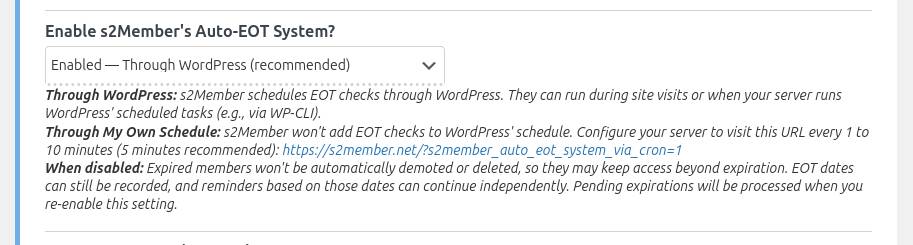
One clarification: selecting “Yes (enable via WP-Cron)” for Auto-EOT doesn’t mean you have to stop using your system cron.
With DISABLE_WP_CRON set to true, WordPress won’t trigger WP-Cron automatically during page visits. Your existing wp cron event run --due-now command will still execute all scheduled events, including Auto-EOT if you enable that option.
So you could keep your system cron and bash script exactly as they are, but remove the additional curl requests. Either approach is valid, though.
You’re right about the documentation. It should explain more clearly that choosing “Yes (but, I’ll run it with my own Cron Job)” means s2Member won’t schedule Auto-EOT through WP-Cron. I’ll look into clarifying that.
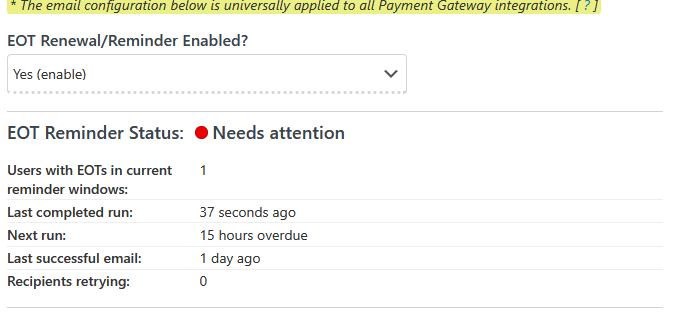
One thing we’re still missing is the EOT Reminder Status section. Have you had a chance to check that? I’d like to confirm whether the original reminder scheduler warning has cleared with your current setup.



 healthy but the the EOT Reminder Status reports a
 problem despite the last completed run was clearly only a few seconds ago.